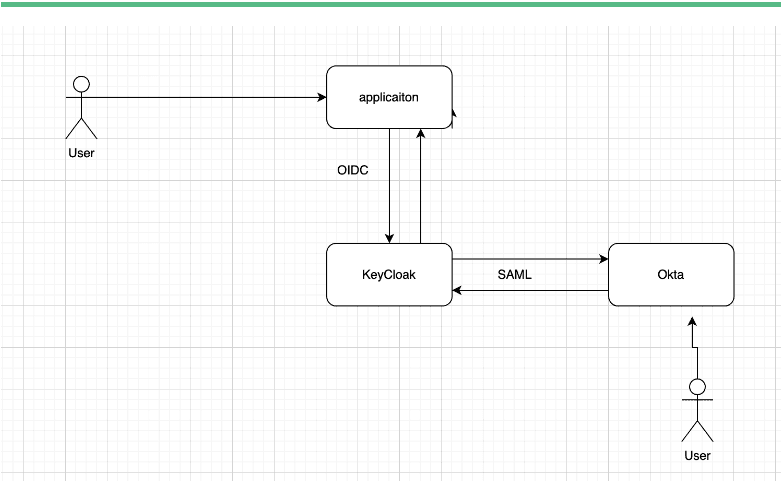
Single Sign On (SSO) Setup | Okta integrating with Keycloak using SAML and Application OIDC
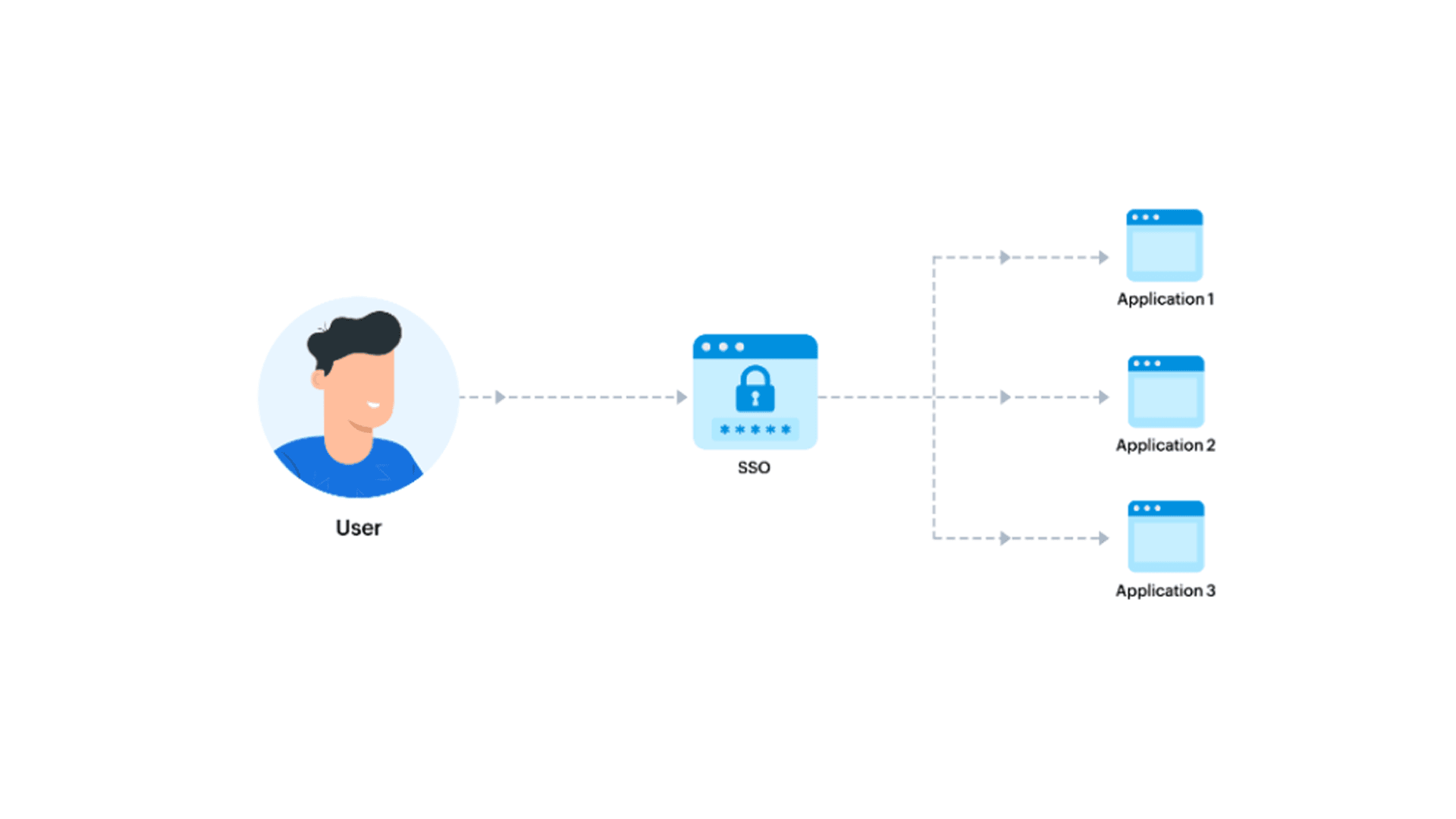
Single sign-on is a user authentication tool that enables users to securely access multiple applications using just one set of credentials.
Basic Terminologies
SSO
Single sign-on (SSO) is a user authentication tool that enables users to securely access multiple applications and services using just one set of credentials.
Auth0
Auth0 is a flexible, is a solution to add authentication and authorization services to your applications
OpenID Connect (OIDC)
It is an open authentication protocol that works on top of the OAuth 2.0 framework. Targeted toward consumers, OIDC allows individuals to use single sign-on (SSO) to access relying party sites using OpenID Providers (OPs), such as an email provider or social network, to authenticate their identity
SAML
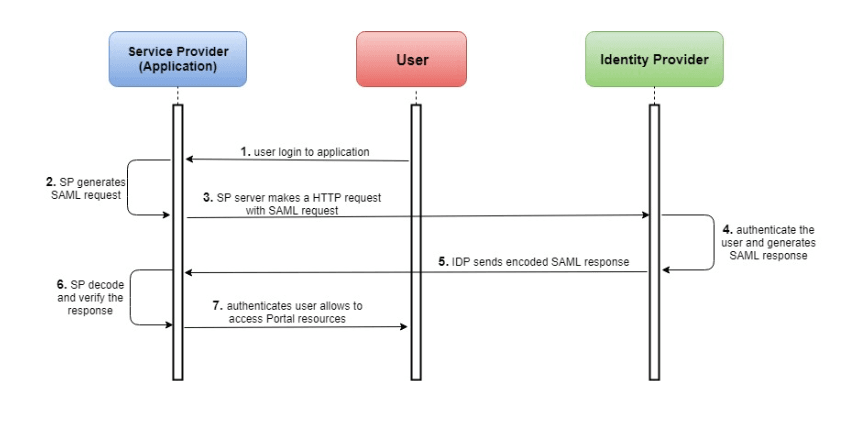
Security Assertion Markup Language (SAML) is an XML-based protocol used for Single Sign-On (SSO) and exchanging authentication and authorization data between applications. Within the SAML workflow, Okta can act as both the Identity Provider (IdP) or as the Service Provider (SP), depending on your use case.
Lets begin with the integration.
Okta Configuration
Firstly, you need to create an account on https://www.okta.com/ and login using admin user.
Step 1: Create an SAML app in Okta
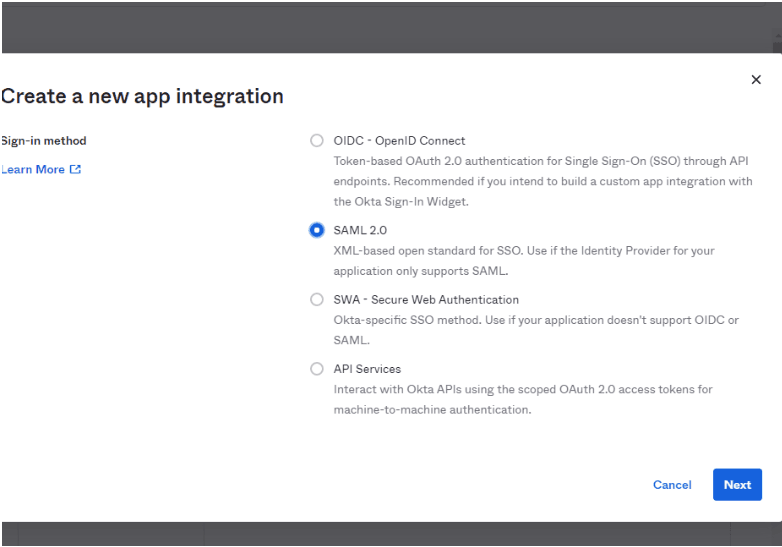
Step 2: Set the values as below.
Single Sign On URL:
root/auth/realms/{broker-realm}/broker/{idp-name}/endpoint/clients/{client-id}
Audience Restriction:
https://{keycloakHost}/auth/realms/{realm-name}
Copy SAML Certificate Meta-data URl
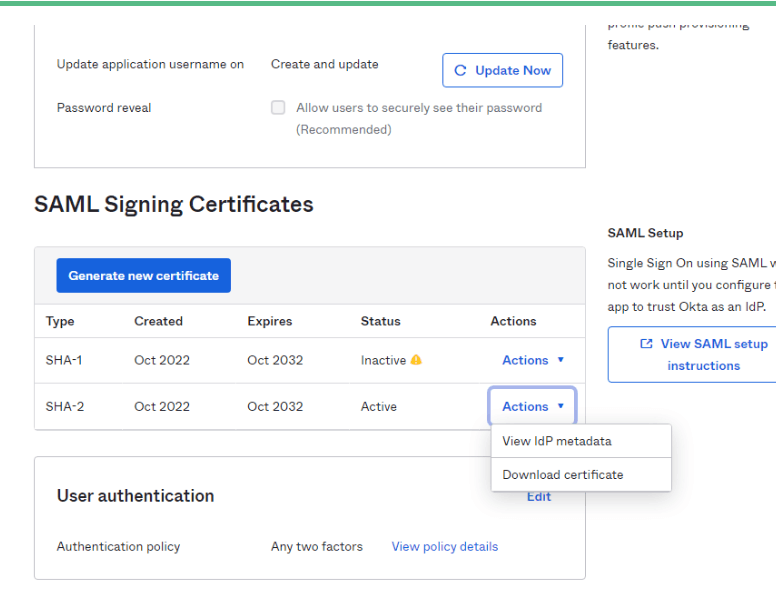
KeyCloak Configuration
Before you start you need to download and install keyClock
https://www.keycloak.org/downloads.html
Step 1: Create new Realm (optional) if you have already created you can skip it
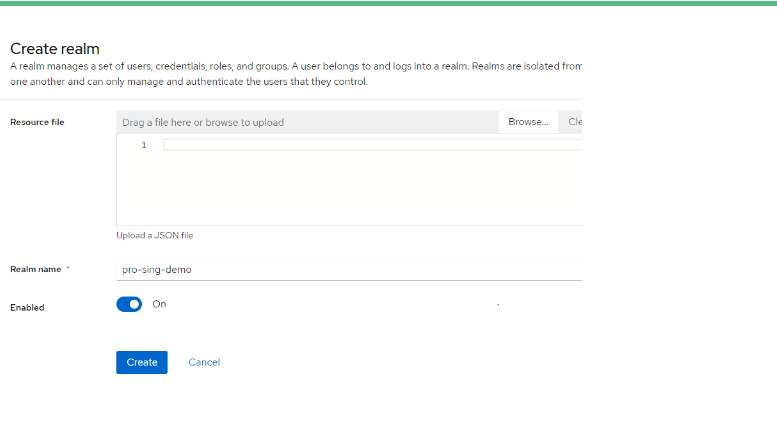
Read More About
Multi Tenancy via Single-realm Approach with Keyclock
Step 2: Authentication Flow
Create a new authentication flow for SAML. Log into Keycloak, navigate to Authentication > New.
Set Alias to SAML_First_Broker. Leave Top level flow type as generic.
Add executions to SAML First_Broker flow:
Add execution Create User if Unique
Add execution Automatically Set Existing User.
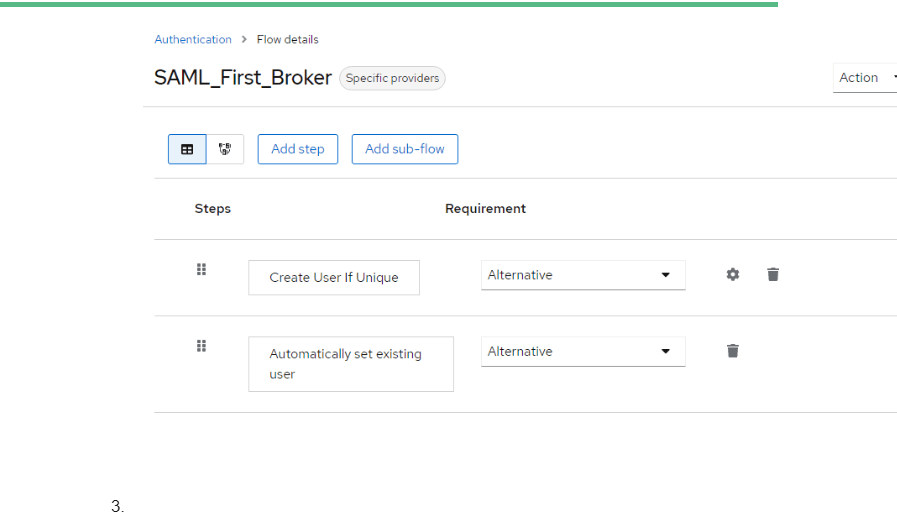
Step 3: Create A SAML identity provider.
Navigate to Identity Provider and add a new user-definer SAML 2.0 provider. Set the alias to okta, import. This name would be used for configuration in future.
Paste SAML Entity descriptor metadata.
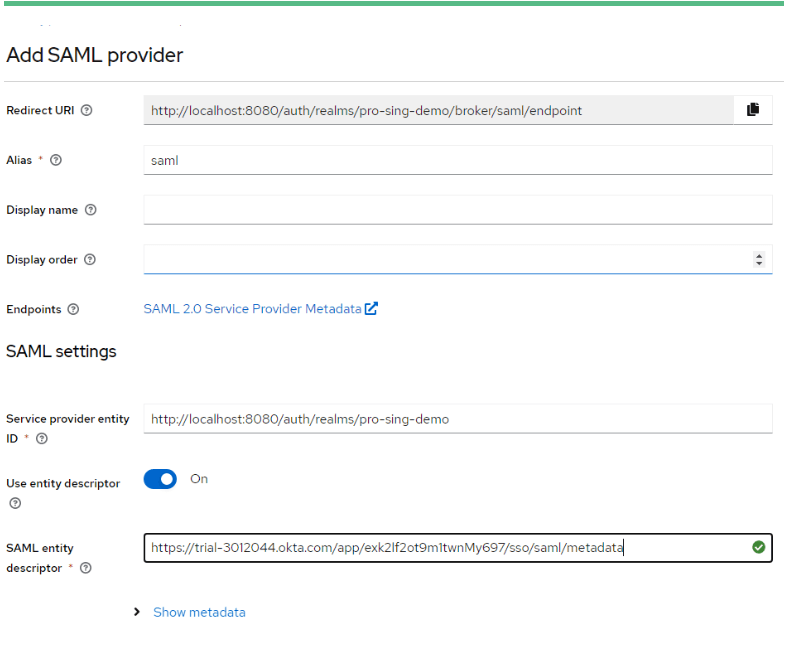
Set First Login Flow to SAML_First_Broker.
Set NameID Policy Format to Unspecified.
Save as XML SAML 2.0 Service Provider Metadata
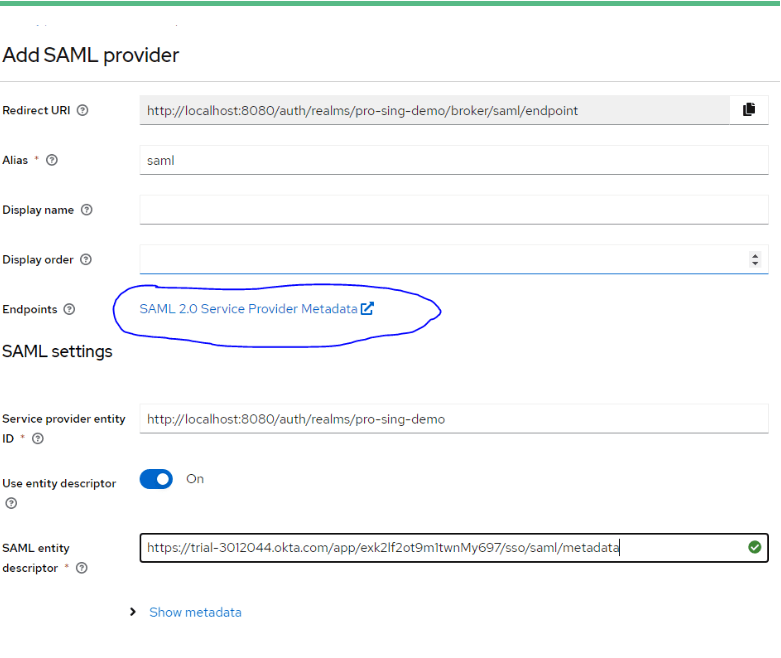
Step 4: Configure Keycloak Client
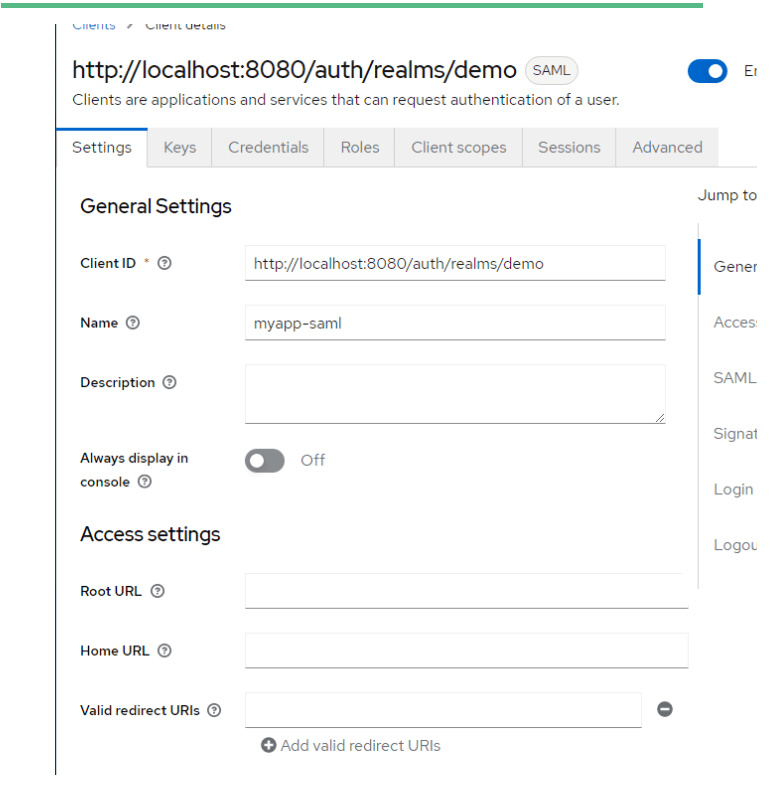
Create a new Keycloak client by using Keycloak’s Identity Provider metadata file that you saved in the above step.
Client ID: (this should be created automatically)
IDP Initiated SSO URL Name: myapp-saml
IDP Initiated SSO Relay State: Application URL where you want to redirect
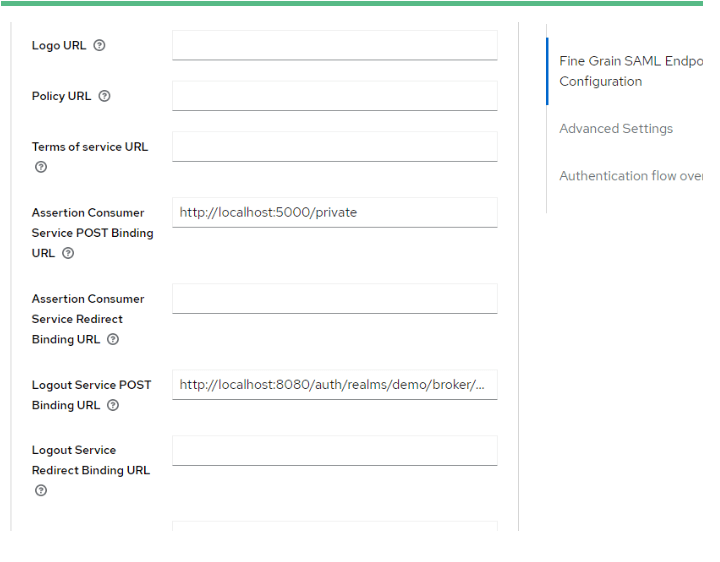
Assertion Consumer Service POST Binding URL : Application URL where you want to redirect
Consult our expert java developers for any complex backend problems

Demo Application
Python Flask Application.
[Github link]??
Steps
Unzip the folder
Navigate to project directory
Run pip3 install -r .\req.txt (this will install the dependency) Configure client_secrets_copy_.py Update redirect URI to application URL.
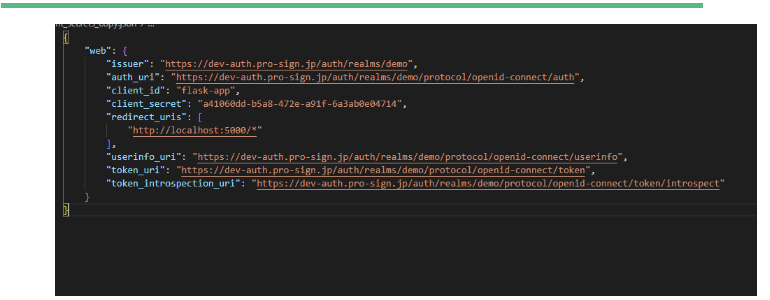
Python keyck.py (this will start the server)
Flask App KeyCloak configuration:
Create open Id Connect Client
Add valid URL : Application URL
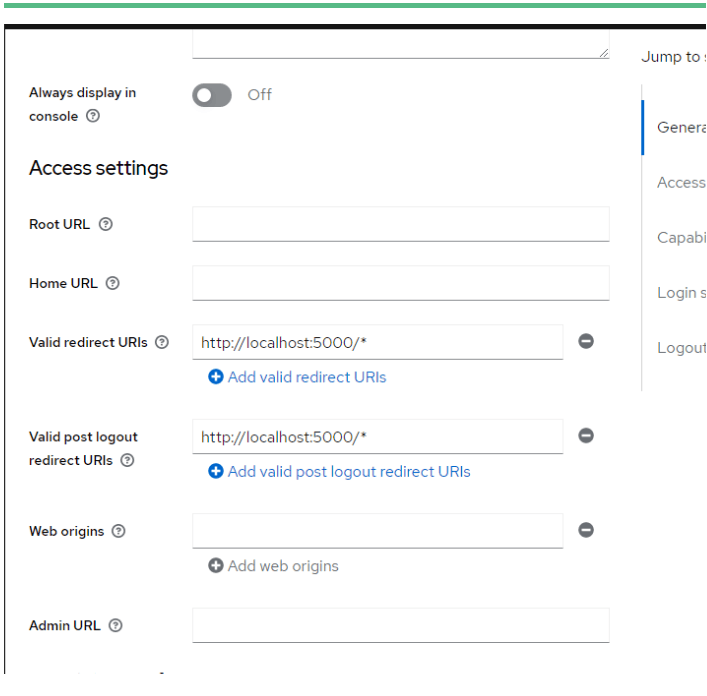
Configuration Done.
Now you can go to Okta login and choose the application that we set up. You should be redirected to you Application
Get Help from Our Experts in Creating Large Scale Enterprise Grade Solution

Free Newsletter Subscription
Join the list if you find this kind of technical blogs useful
Would you like to share this article?
Share
Related insights

EdTech + Model Fine-Tuning: A Practical Scenario for Support Deflection
Discover how EdTech companies leverage model fine-tuning to significantly reduce support contact volume, improve response times, and deflect common

AI Adoption ROI Gap 2026: Scaling Disconnect Analysis
Explore the AI adoption ROI gap in 2026, analyzing why AI investment is surging while measurable returns stall due to governance and integration

7 Magento Design Patterns That Actually Scale
Prevent Magento technical debt with these 7 performance best practices. Learn how to optimize for scale before issues arise.